✦ NOW LIVE — FIRST 100 SPOTS AT $1/MO

Your bookmarks. Finally organized. Effortless.

Marksy uses AI to automatically group your saved links by topic — then lets you export them straight into Chrome. No manual sorting. Ever again.

First 100 users only Cancel anytime

TRANSFORMATION

See the instant outcome

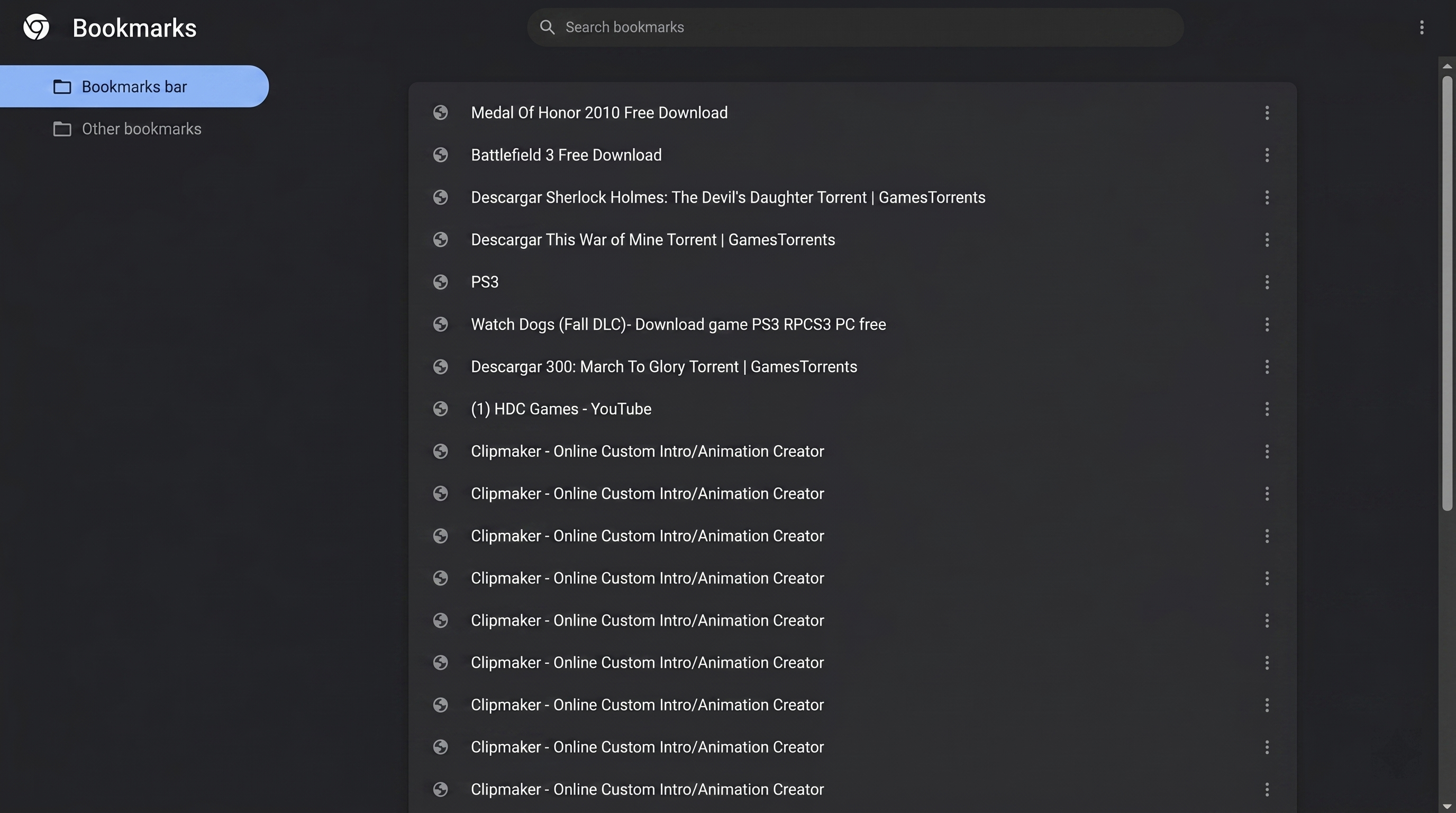
Unorganized browser bookmarks chaos
Before Marksy
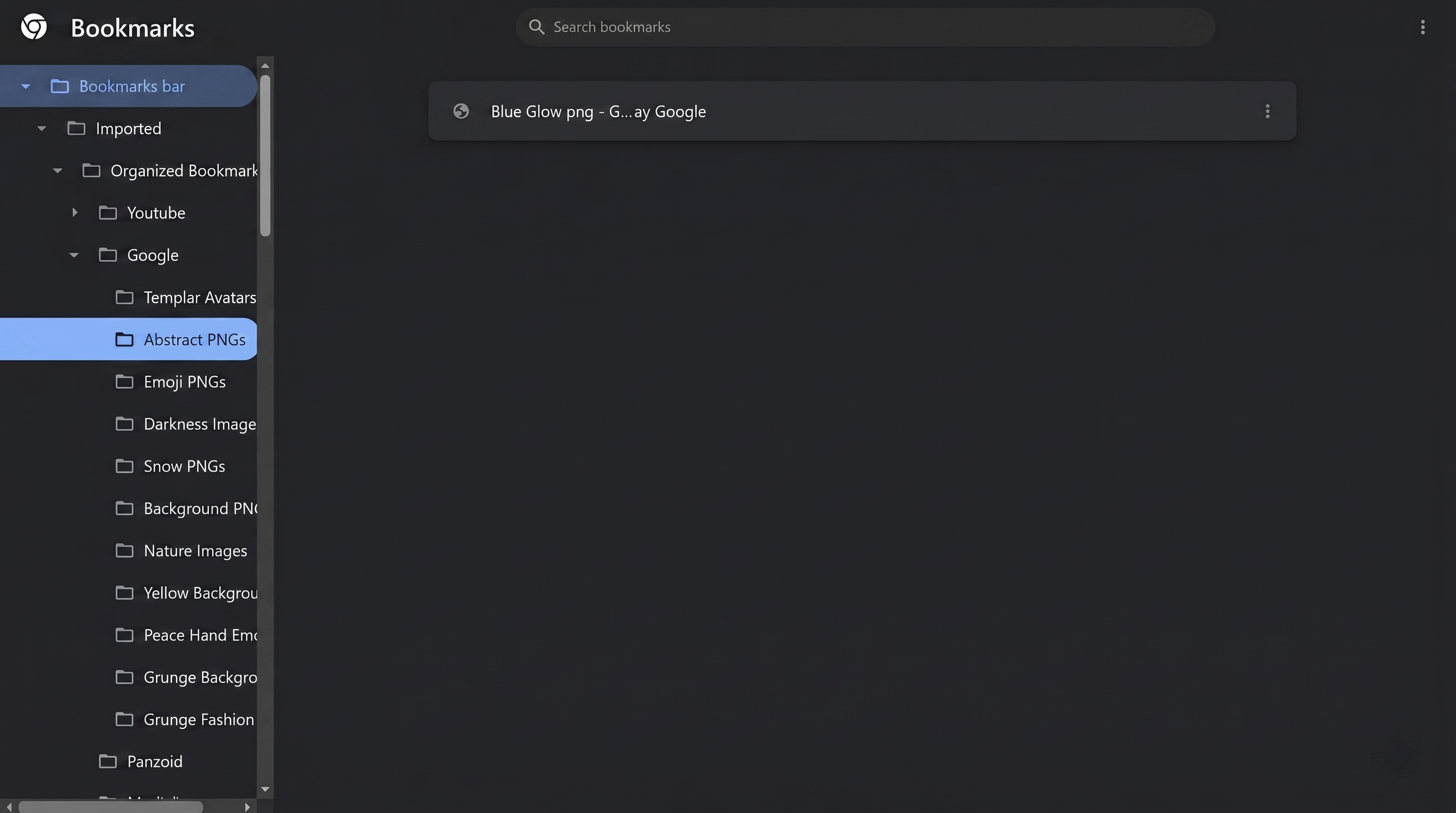
Organized browser bookmarks folders hierarchy
After AI Grouping

CAPABILITIES

Built for power operators

AI Grouping

AI reads your bookmarks. You get clarity.

Just upload your file. Marksy automatically detects domains (like \"YouTube\") and then our AI, powered by Gemini, reads every link to generate hyper-specific sub-groups inside.

✦ YouTube → Music · 12 bookmarks
✦ YouTube → Web Dev · 8 bookmarks
✦ YouTube → Productivity · 5 bookmarks

No rules. No tags. No manual sorting.
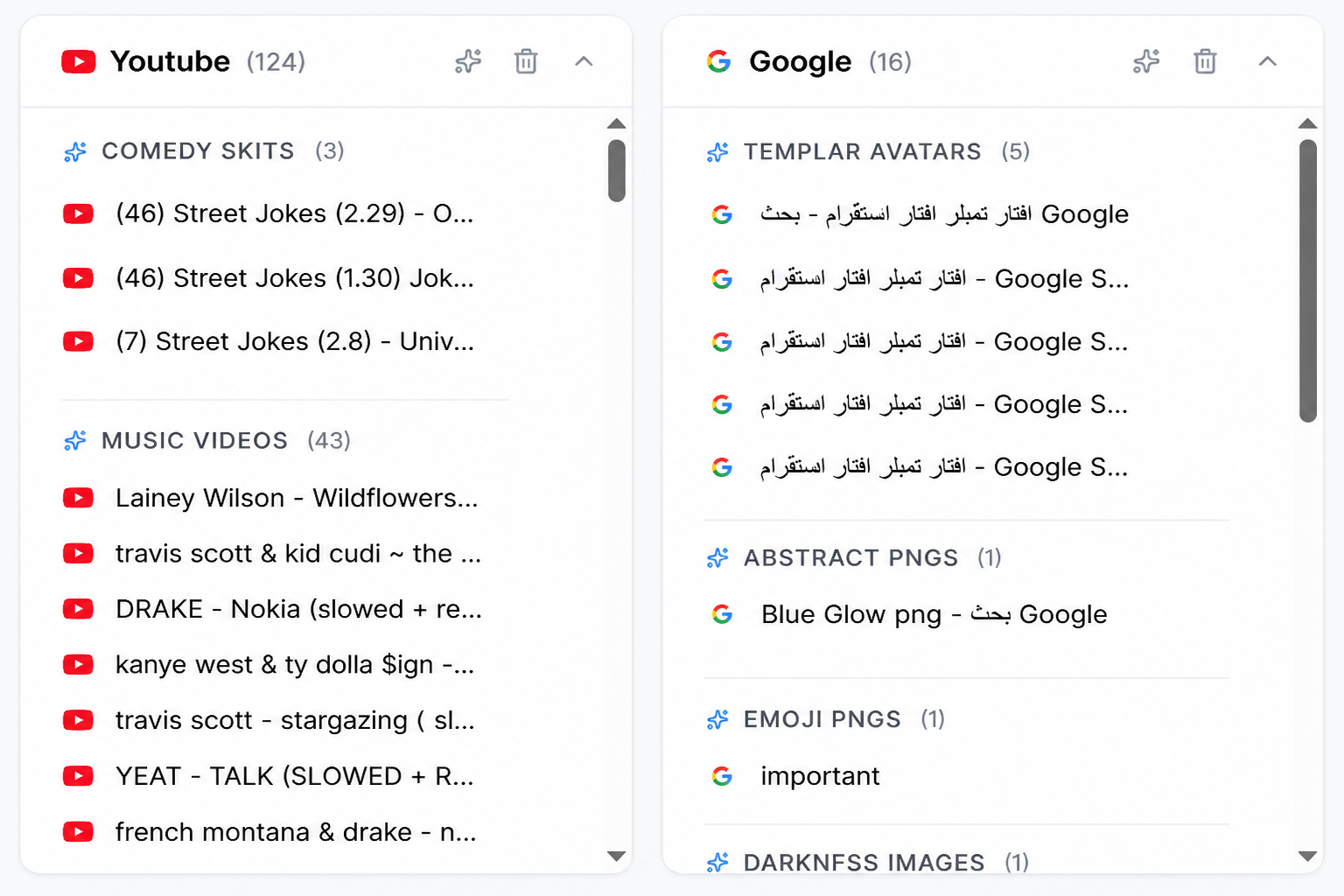
AI parsing engine sorting URLs dashboard interface preview
Chrome Export

Export to Chrome. Keep it forever.

Marksy exports your fully organized bookmarks as a `.html` file — ready to import directly into `chrome://bookmarks/`.

✦ Imported → Marksy → YouTube → Music
✦ Full folder hierarchy. No flat lists.
✦ Your browser stays organized. Even if you cancel.

No other bookmark tool does this.

Chrome import HTML directory window workflow view
Bonus — free with Pro

Pro comes with Tabsy — free.

Tabsy is our premium Chrome extension for tab organization. It usually costs extra, but it's yours 100% free with your Marksy Pro subscription.

Unlimited tab folders
One-click tab-group launcher
Command palette (Ctrl+K)
Scheduled tab groups
Export, import & share folders
Dark & light theme

HOW IT WORKS

Three steps. Done.

01

Import

Upload your messy, existing bookmark file, and Marksy automatically sorts your links into broad domain categories like YouTube, Design, or Articles.

02

Automate

Click the ✨ icon on any category. Marksy instantly analyzes your links using Gemini and organizes them into perfectly titled sub-folders right before your eyes.

03

Export

Export your clean .html file at any time—with or without AI grouping—and drop it straight back into Chrome.

PRICING

One plan. Everything included.

🚀 LAUNCH — First 100 users

✦ Marksy Pro

$ 1 /mo

Usually $4.99/mo

Launch pricing is strictly limited to the first 100 users.

  • Unlimited bookmarks & categories
  • AI topical grouping — 100 credits/mo
  • Fully structured Chrome export (.html)
  • Cross-device sync
  • Access to all future updates
  • Tabsy Chrome extension — free
  • Cancel anytime
Claim your $1/mo spot →

FAQ

Common questions. Clear answers.

STILL DECIDING?

Stop losing bookmarks. Start using them.

Secure your $1/mo launch spot today. Your browser stays organized, forever.

What happens when the 100-user launch offer ends?

The price becomes $4.99/mo for all sign-ups. For the early users who claimed the launch spots, the $1/mo promotional price applied to their first month only.

What are AI credits?

Each time Marksy groups a category with AI, it uses 1 credit. You get 100 credits per month — more than enough for any library size.

Can I really import organized bookmarks into Chrome?

Yes. Export your bookmarks as `.html` from Marksy → open `chrome://bookmarks/` → click Import → done. Full folder hierarchy is preserved.

What is Tabsy?

Tabsy is our Chrome extension for tab organization. Tab folders, one-click launchers, scheduled tab groups, and a command palette. Free with every Marksy Pro subscription.

FINAL STEP

Ready for a cleaner browser?

It takes less than 60 seconds to import your file and let AI organize your digital life.

NO MANUAL SORTING

Stop losing bookmarks. Start using them.

First 100 users only Cancel anytime